SQL Enlight Code Quality For Azure DevOps 1.7.420
We are pleased to announce the release of version 1.7.420 of the SQL Enlight Code Quality extension for Azure DevOps.
This release introduces a new and significantly enhanced task version, sqlEnlightAnalyze@1, which brings pull request integration, quality gate evaluation, and a dedicated SQL Analysis build tab — making it the recommended task version for all new pipeline configurations.
The extension is available for free during the preview period, and can be installed directly from the Visual Studio Marketplace or downloaded as a VSIX file for Azure DevOps Server installations.
New Task: sqlEnlightAnalyze@1
The new v1 task is the headline addition in this release. It supersedes the legacy v0 task and introduces a wide range of capabilities designed to make T-SQL code quality a first-class citizen in your CI/CD pipeline.
Pull Request Integration
When the pipeline is triggered by a pull request, the v1 task can now automatically interact with the PR in three complementary ways:
- PR Status Check — Posts a pass/fail status directly on the pull request, giving reviewers instant visibility into code quality before merging.
- PR Summary Comment — Publishes an overall analysis summary as a PR comment, including total issue counts and quality gate result.
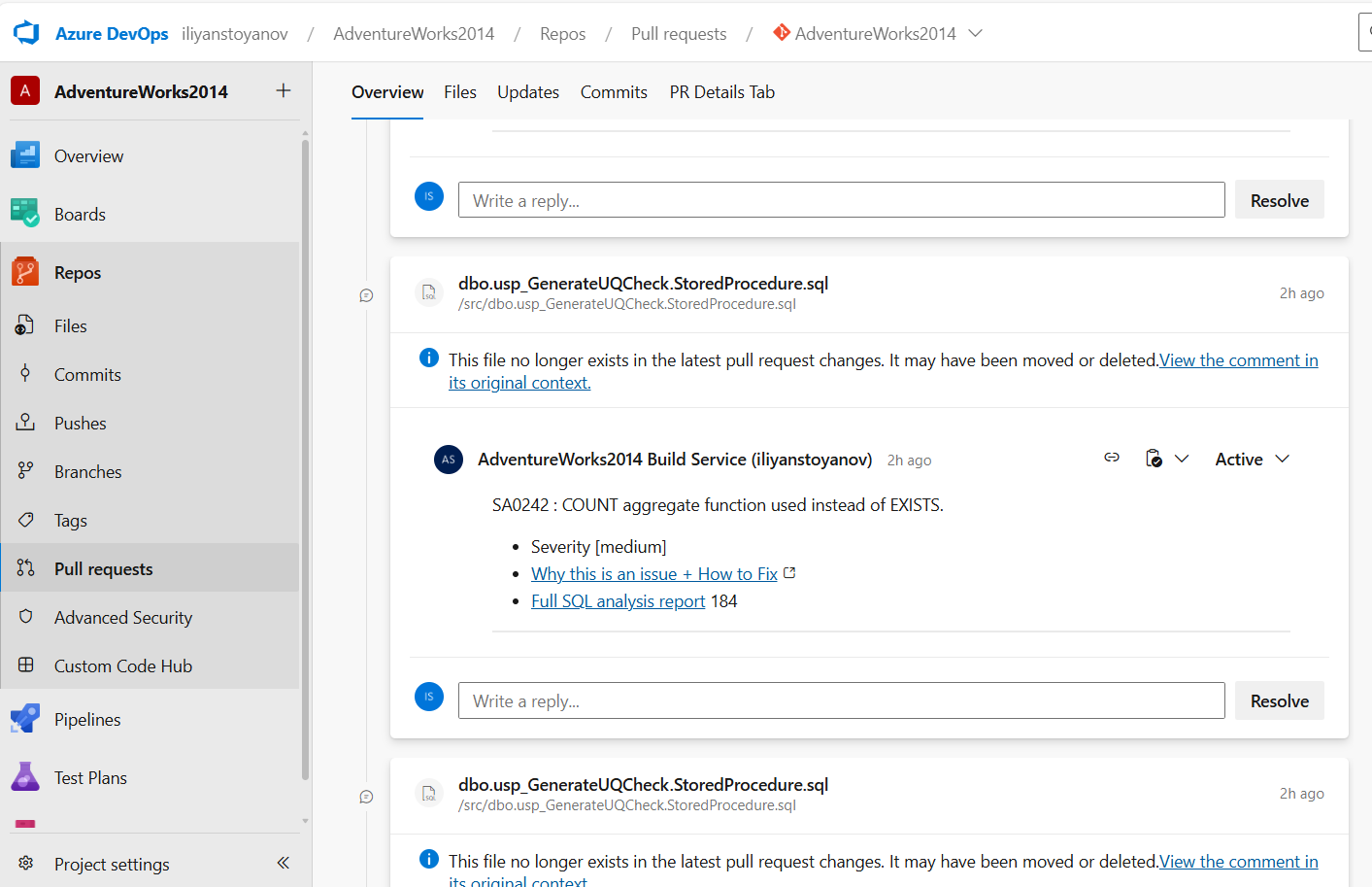
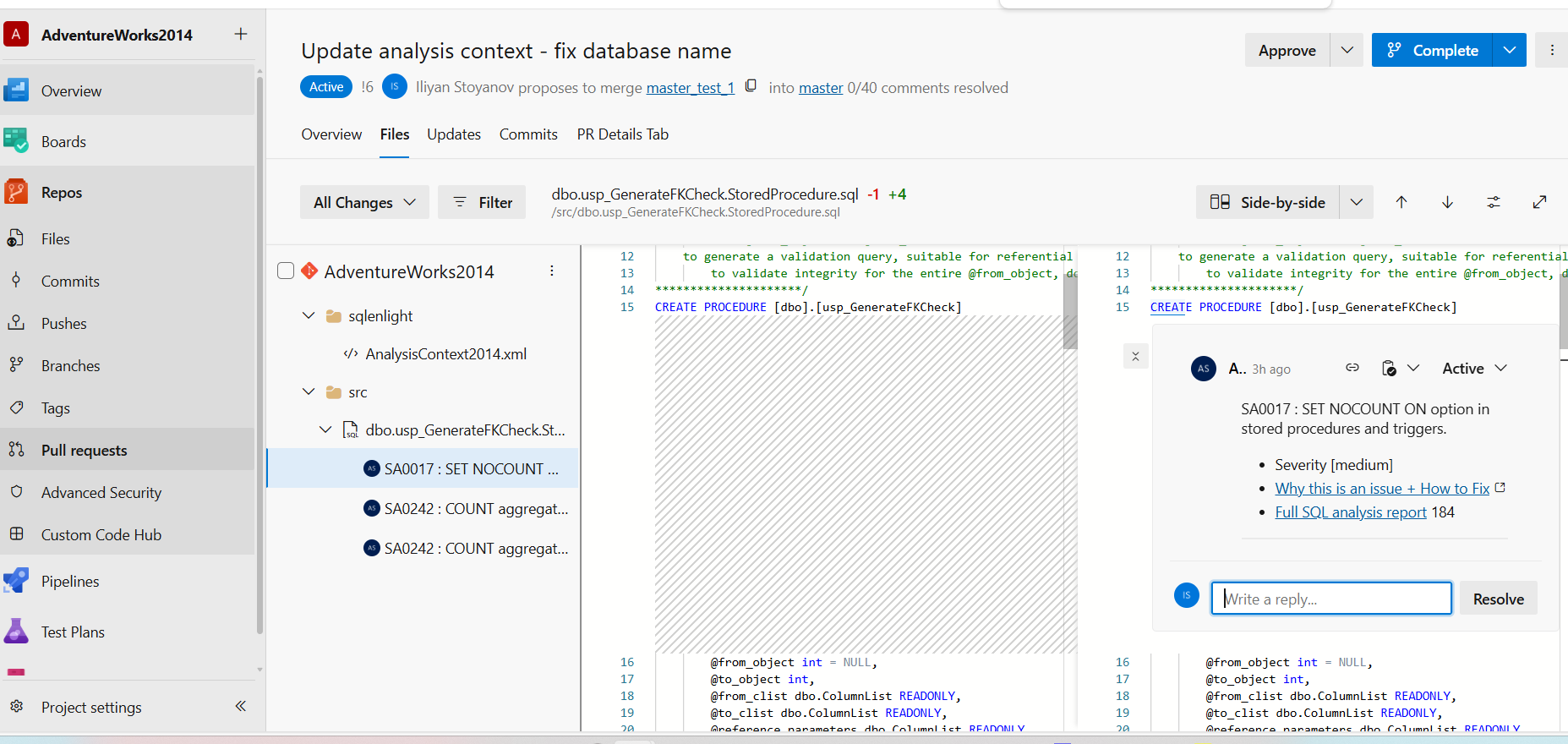
- Inline Comment Threads — Creates comment threads directly on the changed lines in the diff for each issue found, with configurable minimum severity filtering and a configurable thread limit to avoid noise on large changesets.
Quality Gates
The v1 task supports flexible fail conditions so teams can tune how strictly the pipeline enforces code quality standards:
- Never — The task always passes, regardless of issues found.
- On any issue — Fails if any analysis issue is reported.
- On quality gate failure — Fails when the configured quality gate evaluation fails.
- On quality gate warning or failure — Fails on either a warning or a failure result from the quality gate.
Analysis Mode
Three analysis modes give teams control over what gets analyzed on each build:
- Full — Analyzes all files matching the configured include pattern.
- Changed files only — Limits analysis to files modified in the current build or pull request.
- Auto — Automatically selects the most appropriate mode based on the build context.
SQL Analysis Build Tab
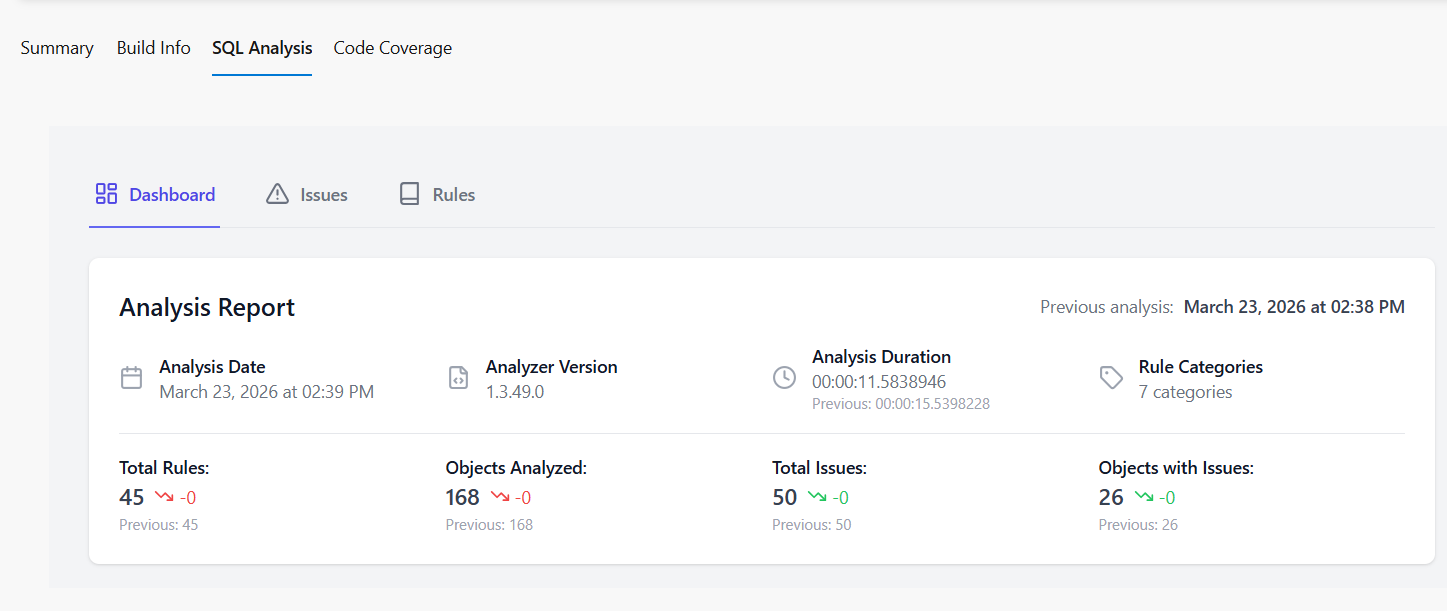
Analysis results are now displayed in a dedicated SQL Analysis tab directly inside the Azure DevOps build summary page. No separate Publish Test Results task is needed.
Additional v1 Settings
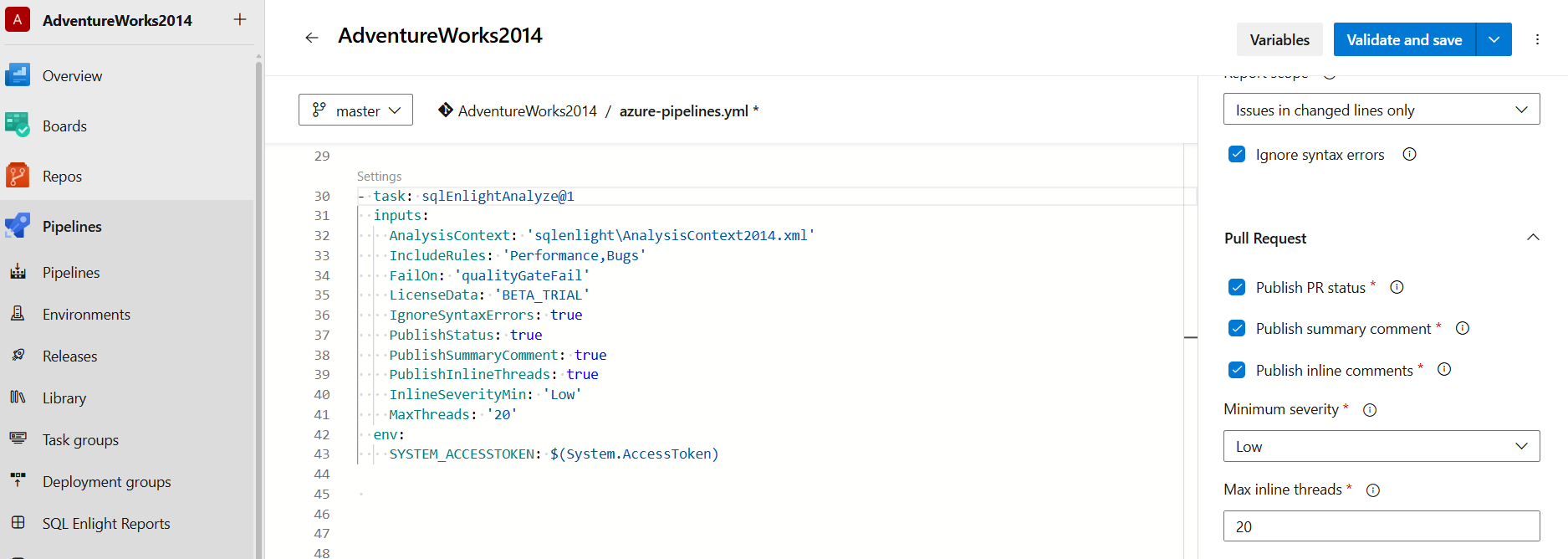
- Report scope — Choose to report issues from all analyzed files or only from changed lines.
- Ignore syntax errors — Optionally suppress issues related to SQL syntax parsing when working with incomplete scripts or migration files.
- Analysis context — Enrich analysis with real database schema metadata by providing an analysis context file path or a live SQL Server connection string.
- Analysis template — Point to a custom
.setemplatefile to use a team-specific rule set.
sqlEnlightAnalyze@0 — Backward Compatibility
The existing sqlEnlightAnalyze@0 task continues to be fully supported. Teams with existing pipeline configurations do not need to migrate immediately. The v0 task provides:
- File include and exclude glob patterns
- Analysis rule include and exclude filters
- Analysis context file support
- Basic fail condition (never or on any issue)
- Test results output for publishing with the standard Publish Test Results task
Installation
Azure DevOps Services
- Open the Visual Studio Marketplace extension page.
- Click Get it free and select your Azure DevOps organization.
- Add the SQL Enlight Code Analysis task to your build pipeline.
Azure DevOps Server (2019 and later)
- Download the VSIX package from our downloads page.
- In your Azure DevOps Server instance, navigate to Collection Settings > Extensions and upload the VSIX file.
- Enable the extension and add the task to your build definitions.
Preview Notice
This extension is currently in preview and is free to use for evaluation. All features are fully functional during this period. We welcome your feedback and bug reports to help us shape the final release.
The SQL Enlight Code Quality extension for Azure DevOps is available for download here; details and the integration guide can be found here.