SQL Enlight Code Quality For Azure DevOps 1.8.659
We are excited to announce the release of version 1.8.659 of the SQL Enlight Code Quality extension for Azure DevOps.The new release is focused on making T-SQL code analysis easier to configure, easier to review, and more useful in everyday CI/CD and pull request workflows.
This release continues the move toward a single, streamlined SQL analysis task for new pipelines. The recommended task is sqlEnlightAnalyze@1, which runs SQL Enlight analysis, evaluates quality gates, publishes the SQL Analysis report, and can decorate pull requests without requiring a separate publish task.
A More Complete Azure DevOps Experience
The extension now provides a more complete project-level experience inside Azure DevOps. In addition to the pipeline task, teams can use the SQL Enlight project hubs to review reports and manage settings directly from the Azure DevOps UI.
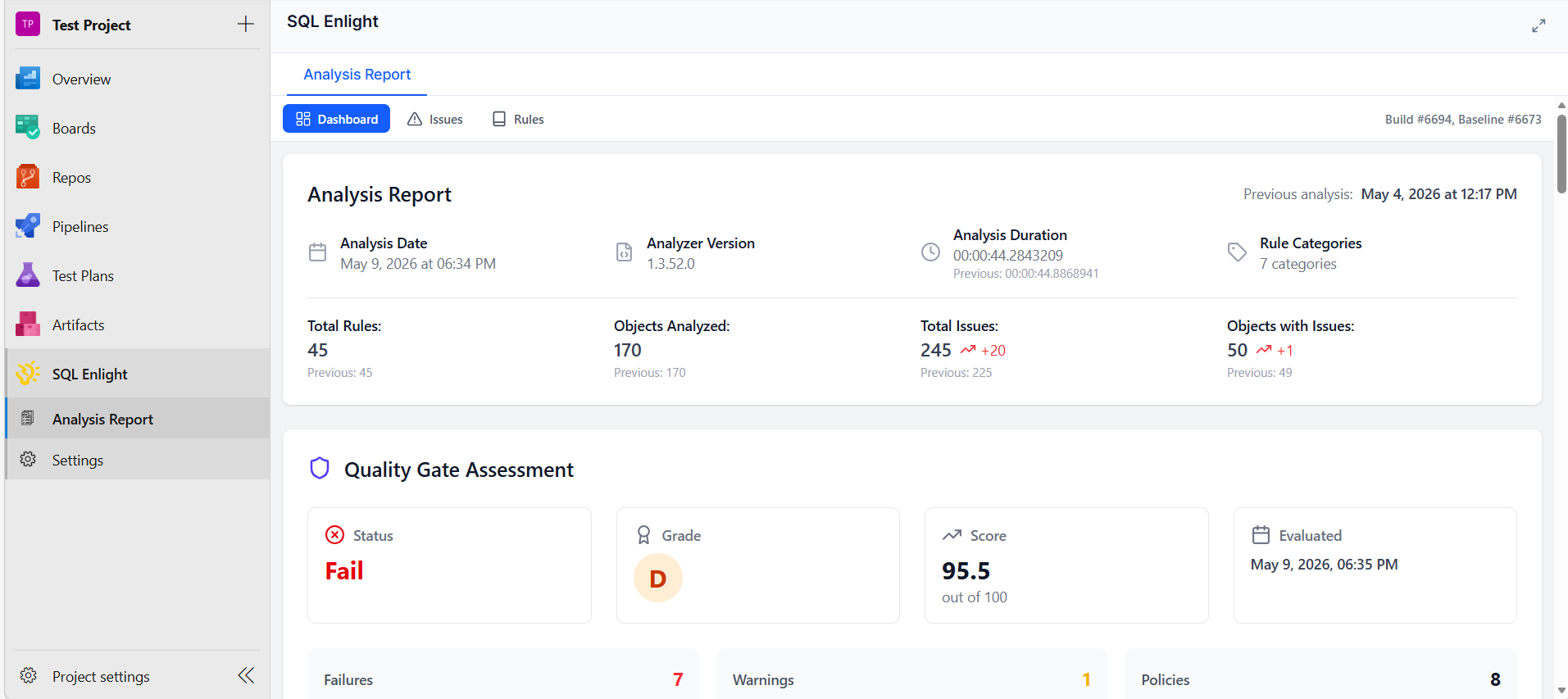
The SQL Analysis build tab gives developers and reviewers a dedicated place to inspect analysis results, affected files, rule details, and quality gate results after each build.
Pull Request Integration
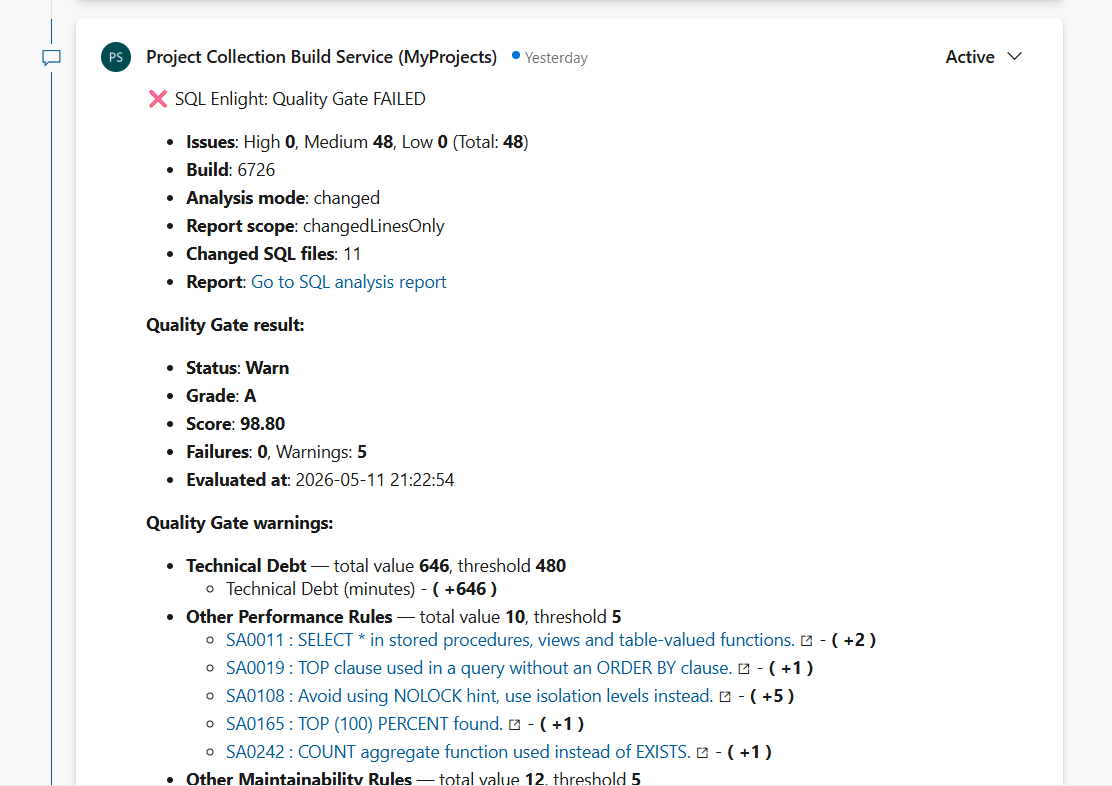
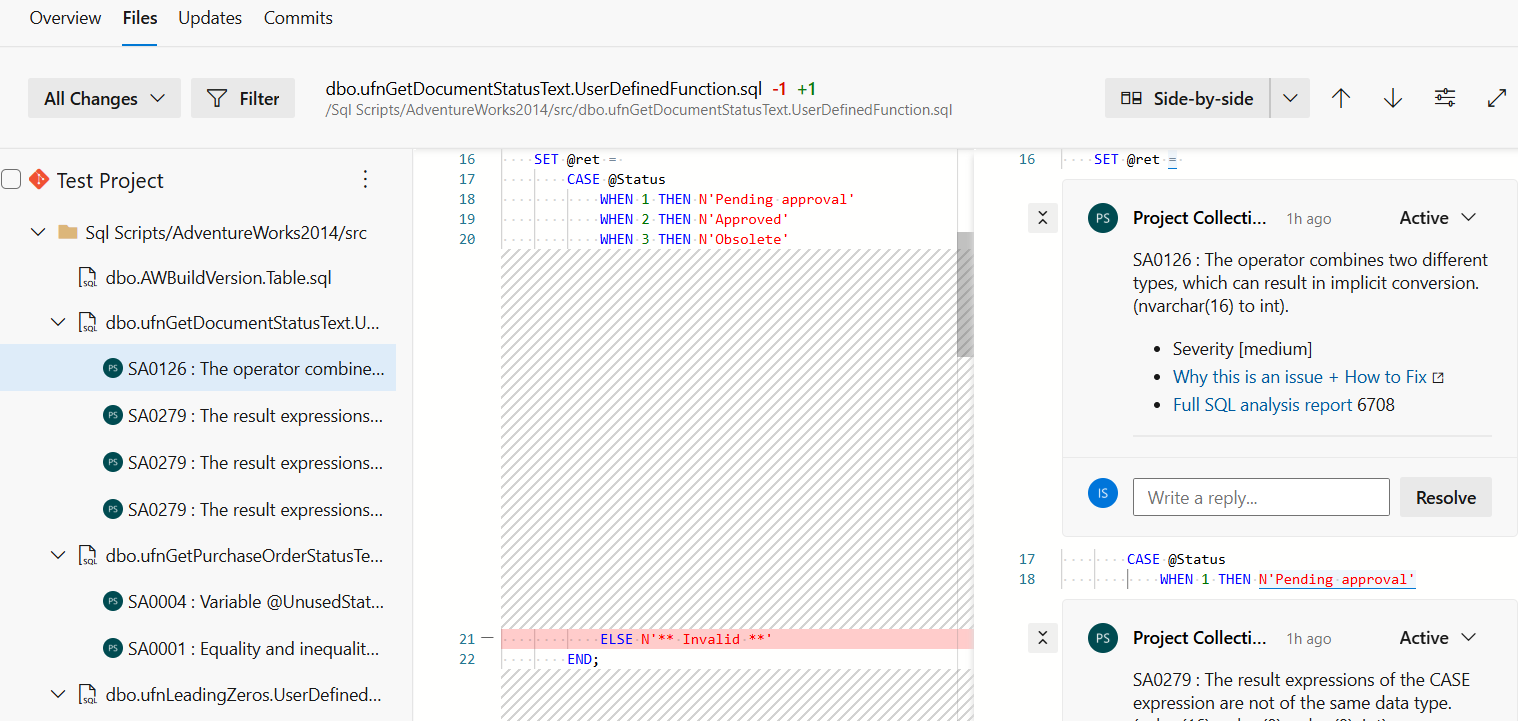
Pull request workflows are now much easier to manage. When SQL Enlight runs as part of a pull request build, it can publish a PR status, add a summary comment, and optionally create inline comments on changed SQL lines.
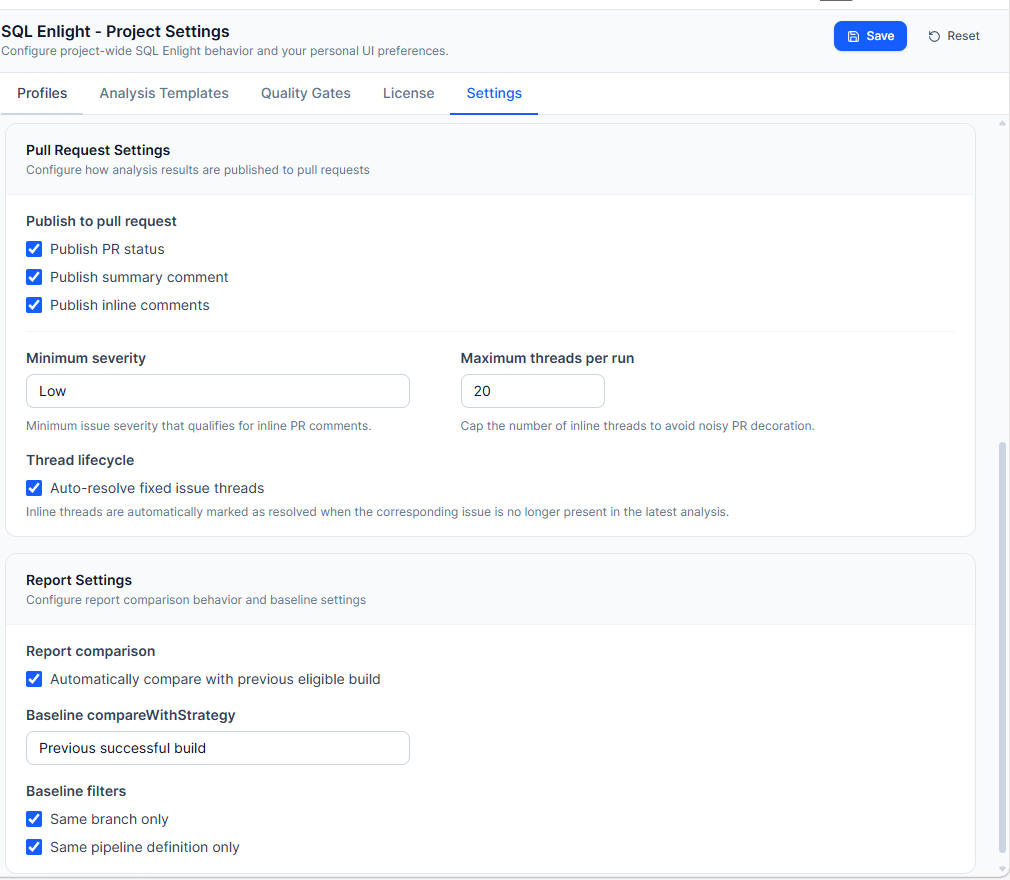
This helps reviewers see SQL code quality feedback directly in the review, without switching context or searching through build logs. Inline comments can be filtered by severity and capped with a maximum thread count to avoid unnecessary noise on large pull requests.
-
Pull request summary comment
-
Pull request inline comment
Project Settings - Profiles, Templates, and Quality Gates
The new settings experience makes it easier to define how SQL Enlight should behave in different scenarios.
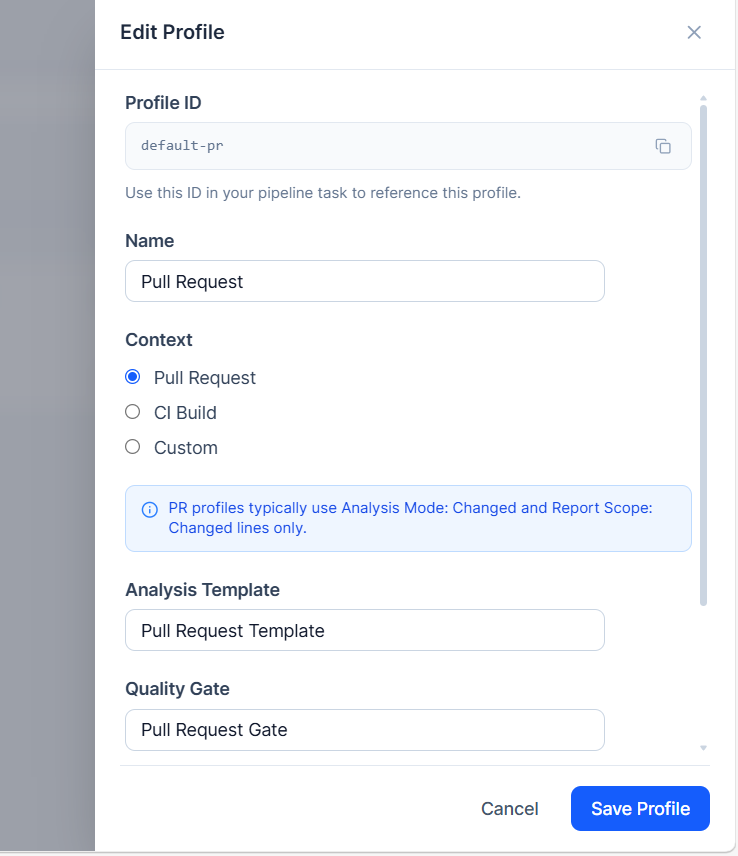
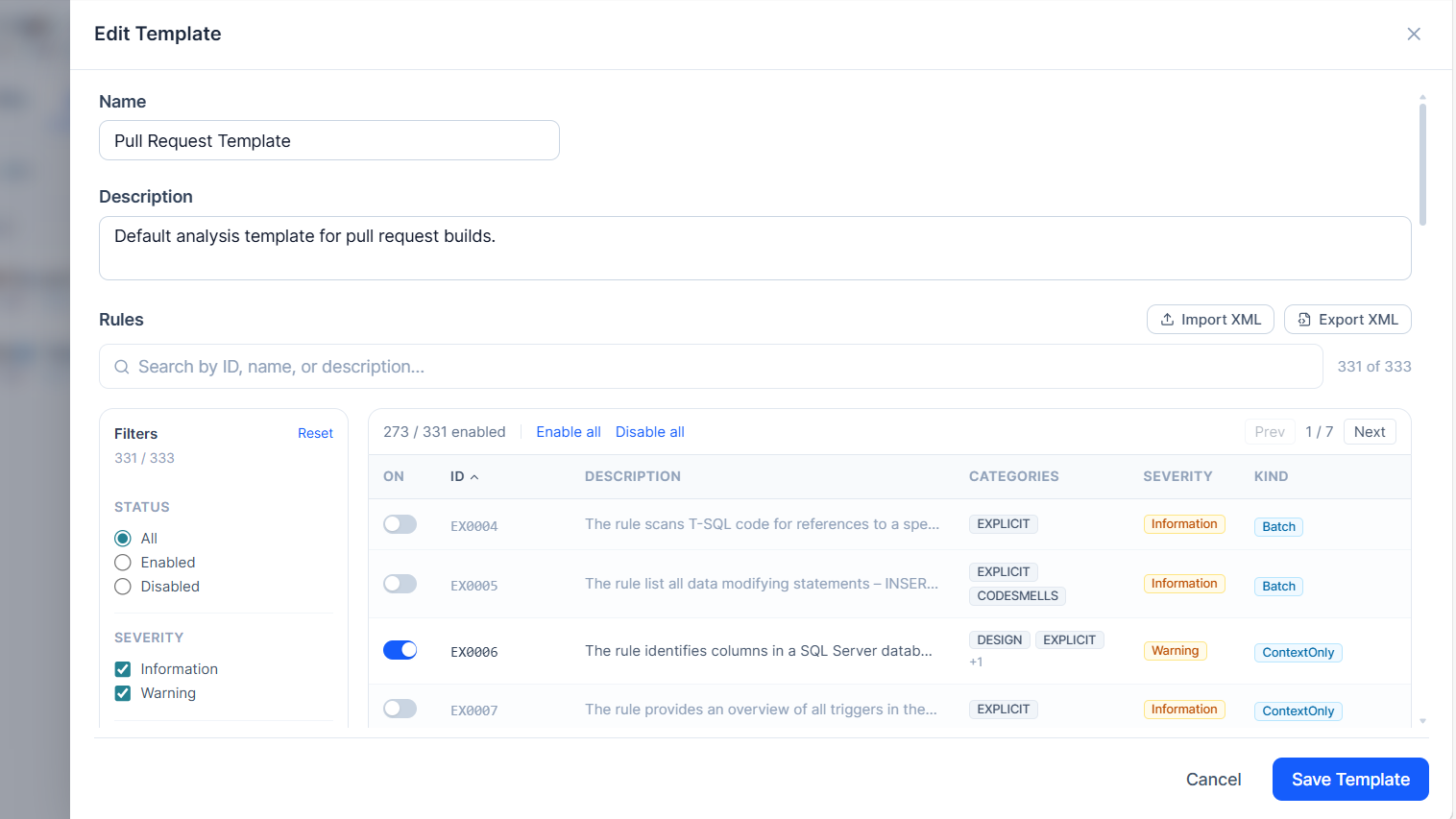
Teams can create separate profiles for pull requests and CI builds. Each profile can use its own analysis template and quality gate. For example, a pull request profile can focus on changed files and changed lines, while a CI profile can run a full analysis across the codebase.
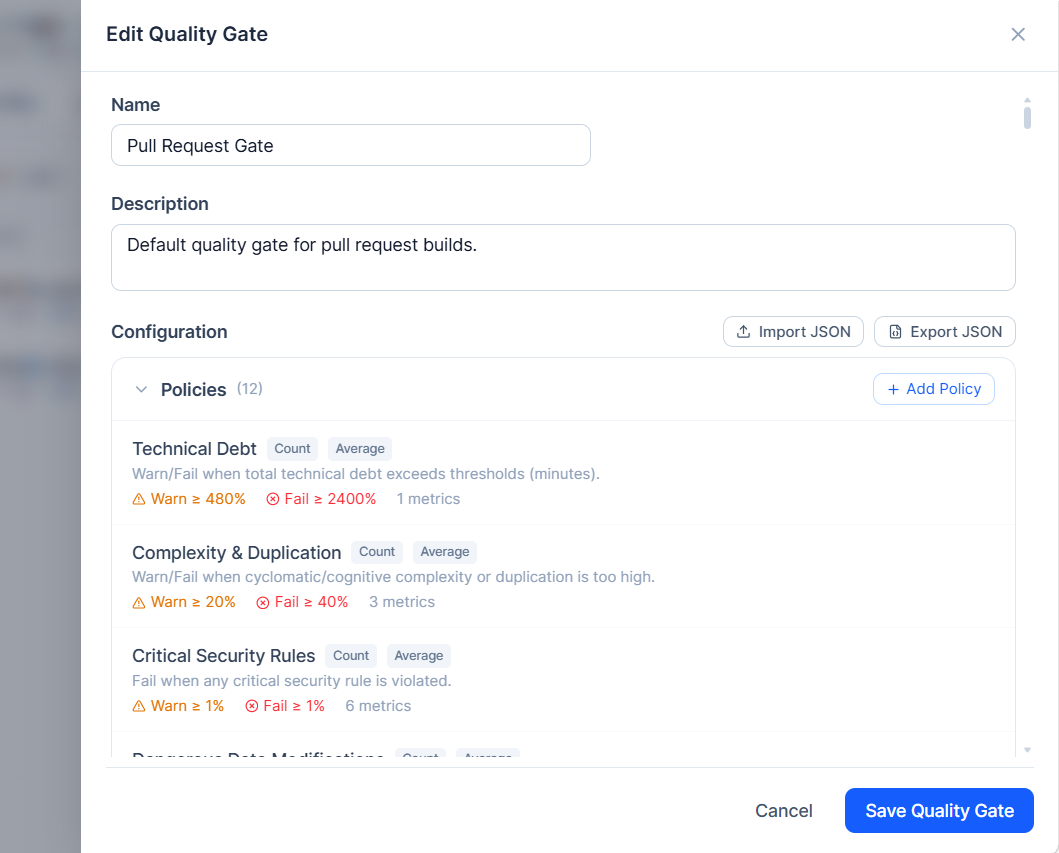
Analysis templates make rule configuration reusable, while quality gates let teams define clear thresholds for warnings and failures.
-
Profiles
-
Analysis templates
-
Quality gates
-
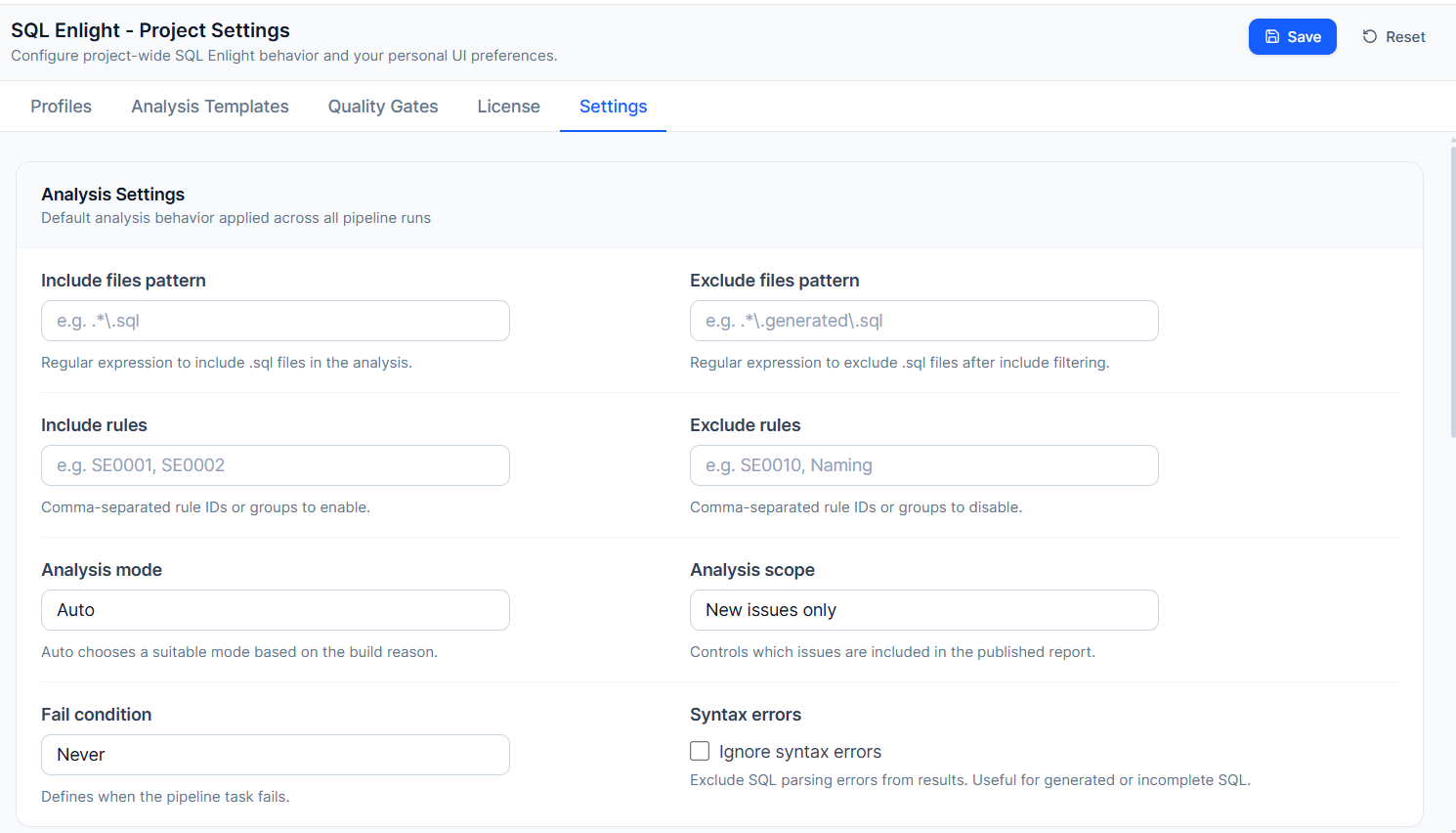
Shared settings
-
Pull request settings
Flexible Analysis Scope
The v1 task supports three analysis modes:
- Auto — selects the most suitable mode based on the build context.
- Full — analyzes all eligible SQL files.
- Changed files — analyzes only SQL files changed in the current build or pull request.
Report scope can also be configured to show either all issues in analyzed files or only issues found on changed lines. This is especially useful for teams adopting SQL quality checks in existing codebases, because it allows them to focus on new changes first.
Quality Gate Enforcement
Teams can decide how strictly SQL Enlight should enforce quality results. The task can be configured to never fail the build, fail on any issue, fail on quality gate failure, or fail on quality gate warning or failure.
This gives teams a practical adoption path: start with reporting, move to warnings, and then enforce stricter gates as the codebase improves.
Built-In License Management
The extension settings now include license management and activation workflows. Administrators can activate a license online, use manual activation when network access is restricted, manage licensed Azure DevOps users, and verify license status from the Azure DevOps UI.
A trial workflow is also available for teams that want to evaluate the extension before purchasing.
No Separate Publish Task Required
For new pipelines, use sqlEnlightAnalyze@1. It handles analysis, report publishing, quality gate evaluation, and optional PR decoration in one task.
The previous task version remains available for compatibility, but new configurations should use the v1 task to get the full Azure DevOps reporting and pull request experience.
Getting Started
Install the extension from the Visual Studio Marketplace for Azure DevOps Services, or upload the VSIX package to Azure DevOps Server. Then add the SQL Enlight Code Analysis task to your pipeline and configure project-level settings from SQL Enlight > Settings.
A minimal YAML configuration looks like this:
steps:
  - task: sqlEnlightAnalyze@1
    displayName: "SQL Enlight Code Analysis"
    env:
      SYSTEM_ACCESSTOKEN: $(System.AccessToken)
For pull request decoration, expose the Azure DevOps system access token:
steps:
  - task: sqlEnlightAnalyze@1
    displayName: "SQL Enlight Code Analysis"
    env:
      SYSTEM_ACCESSTOKEN: $(System.AccessToken)
Summary
This release makes SQL Enlight Code Quality for Azure DevOps more integrated and easier to adopt. Teams can analyze T-SQL code in CI/CD, review results in a dedicated build tab, enforce quality gates, and bring SQL code quality feedback directly into pull requests.
The extension is available for Azure DevOps Services and Azure DevOps Server. Visit the SQL Enlight Azure DevOps page for installation details, trial information, and setup guidance.